test1: 192.168.10.161 centos6.8 主机名:test1
test1: 192.168.10.162 centos6.9 主机名:test2
test1: 192.168.10.163 centos6.9 主机名:test3
test1: 192.168.10.164 centos6.9 主机名:test4
一、ricci安装(test2、test3、test4都安装)
[root@test2 ~]# yum install ricci -y
[root@test2 ~]# service ricci start
可以使用ansible批量安装ricci:
ansible安装、配置过程略。
[root@test1 ~]# ansible ha -m yum -a 'name=ricci state=latest'
为ricci设置密码:
[root@test1 ~]# ansible ha -m shell -a 'echo 123456 | passwd –stdin ricci'
二、test1安装luci
[root@test1 ~]# yum install luci -y
[root@test1 ~]# service luci start
三、集群创建
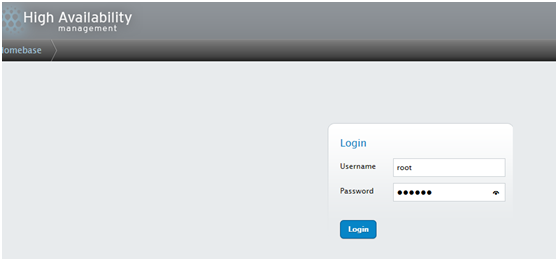
3.1浏览器打开:https://192.168.10.161:8084/
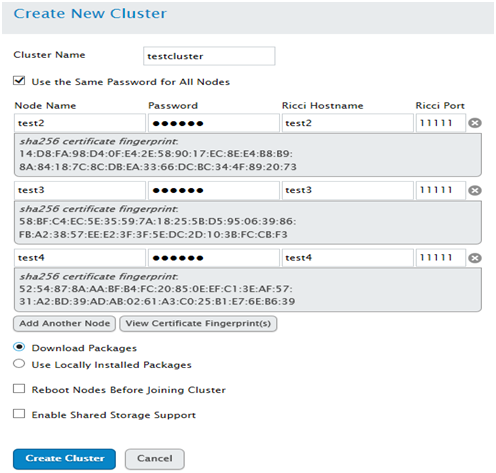
添加集群:
集群名为:testcluster,3个节点(test2、test3、test4),密码:123456
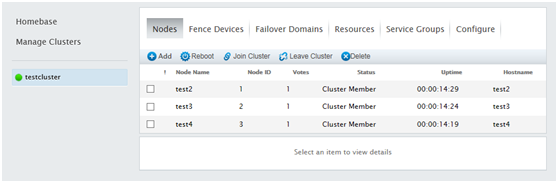
集群创建成功:
3.2 Failove Domain设置
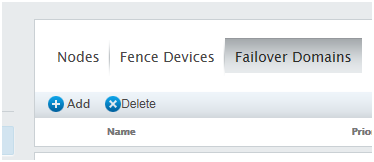
点击Add
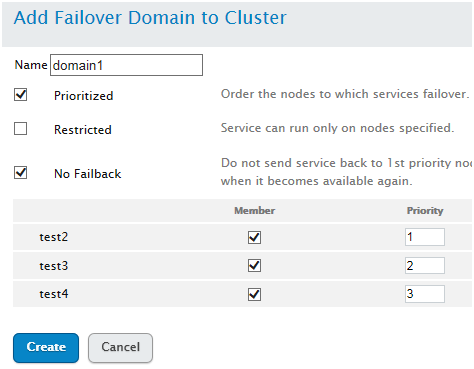
3.3 添加资源
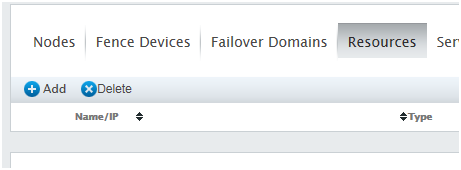
点击Add
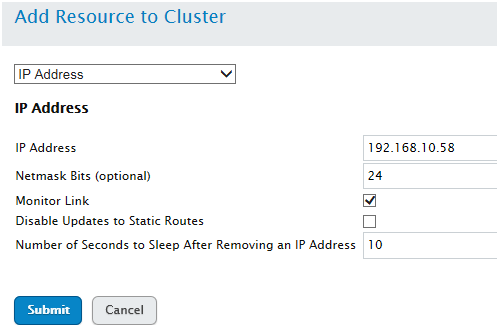
添加ip:192.168.10.58
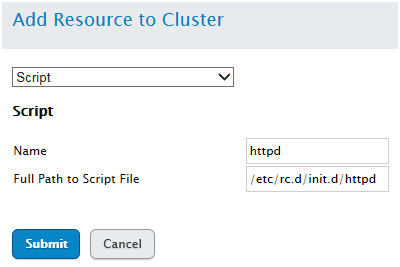
添加script资源:httpd
/etc/rc.d/init.d/httpd
3.4 添加组资源
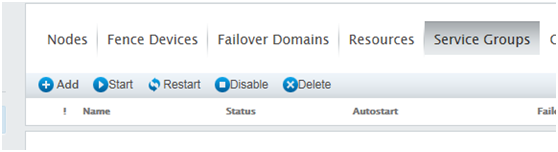 点击Add,组资源:webservice
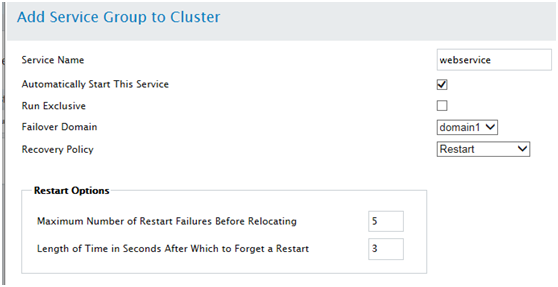
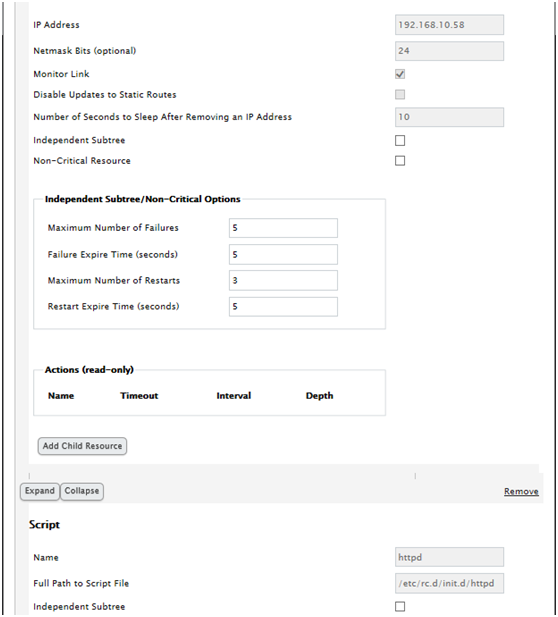
添加已经定义好的资源(ip资源、script资源):
test2、test3、test4节点安装好httpd,测试页:
[root@test2 ~]# echo "<h1>Page On test2…</h1>" > /var/www/html/index.html
[root@test3 ~]# echo "<h1>Page On test3…</h1>" > /var/www/html/index.html
[root@test4 ~]# echo "<h1>Page On test4…</h1>" > /var/www/html/index.html
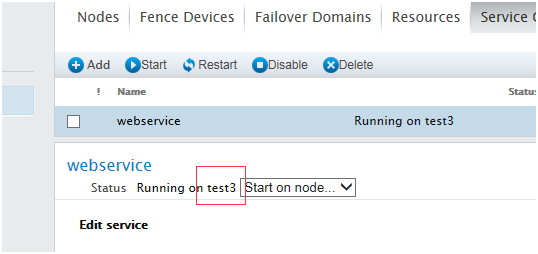
启动组资源:
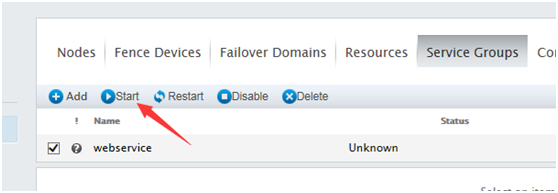
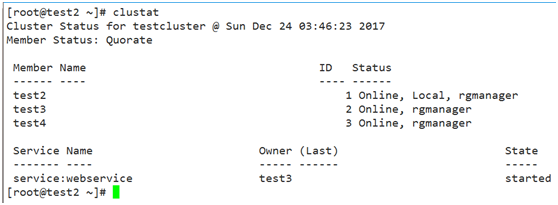
资源启动在test3节点上:
[root@test2 ~]# clustat
浏览器打开:192.168.10.58

资源迁移:
[root@test2 ~]# clusvcadm -r webservice -m test2

节点的配置文件:/etc/cluster/cluster.conf
删除前面创建的集群,然后使用命令行工具创建集群
命令行工具:cman 、rgmanager
[root@test2 ~]# yum install cman rgmanager -y
[root@test3~]# yum install cman rgmanager -y
[root@test4 ~]# yum install cman rgmanager -y
创建集群,名称:tcluster
[root@test2 ~]# ccs_tool create tcluster
添加节点test2、test3、test4:
[root@test2 ~]# ccs_tool addnode -n 1 test2
[root@test2 ~]# ccs_tool addnode -n 2 test3
[root@test2 ~]# ccs_tool addnode -n 4 test4
查看节点:ccs_tool lsnode
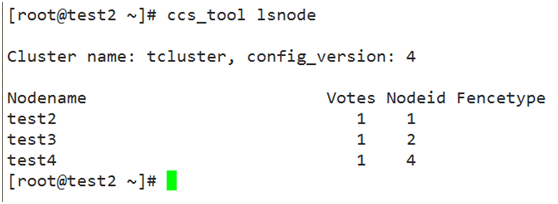
将配置文件复制到test3、test4节点上:
[root@test2 ~]# scp /etc/cluster/cluster.conf test3:/etc/cluster/
[root@test2 ~]# scp /etc/cluster/cluster.conf test4:/etc/cluster/
各节点启动cman :service cman start
各节点启动rgmanager :service rgmanager start
配置资源得编辑配置文件,没办法在命令行实现。
或者使用luci/ricci