playbook组成结构
Inventory
Modules
Ad Hoc Command
Playbooks
Tasks
Variables
Handlers
Roles
playbook基本结构
-hosts:
remote_user:
tasks:
-task1
module_name:module_args
-task2
module_name:module_args
…
-hosts:
remote_user:
tasks:
-task1
module_name:module_args
-task2
module_name:module_args
…
示例1:创建nginx组、nginx用户(系统用户),复制一个文件。
[root@node1 ~]# vim nginx.yml
– hosts: webservers
remote_user: root
tasks:
– name: create nginx group
group: name=nginx system=yes gid=200
– name: create nginx user
user: name=nginx uid=200 group=nginx system=yes
– hosts: dbservers
remote_user: root
tasks:
– name: copy file to dbservers
copy: src=/etc/inittab dest=/root/inittab.ansible
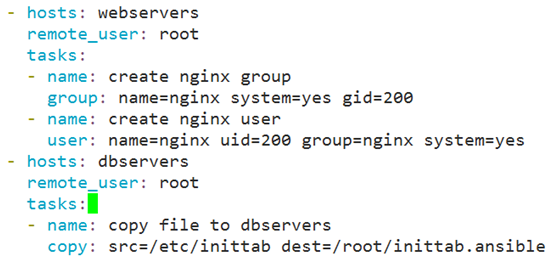
注意书写格式,缩进与空格。保存退出,运行playbook:
[root@node1 ~]# vim nginx.yml
[root@node1 ~]# ansible-playbook nginx.yml
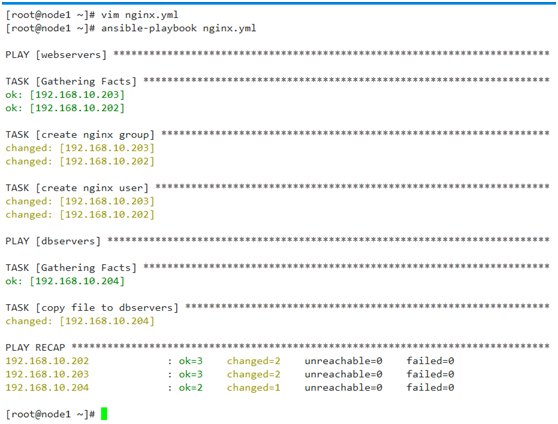
示例2:安装httpd服务,假设从/root/conf/目录下复制配置文件到目标主机的/etc/httpd/conf/目录中。
[root@node1 ~]# vim apache.yml
– hosts: webservers
remote_user: root
tasks:
– name: install httpd packge
yum: name=httpd state=latest
– name: install configuration file for httpd
copy: src=/root/conf/httpd.conf dest=/etc/httpd/conf/httpd.conf
– name: start httpd service
service: enabled=true name=httpd state=started
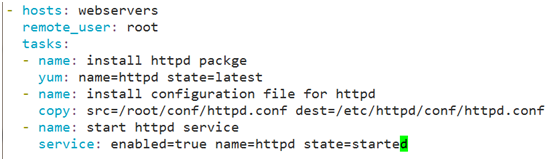
[root@node1 ~]# vim apache.yml
[root@node1 ~]# ansible-playbook apache.yml
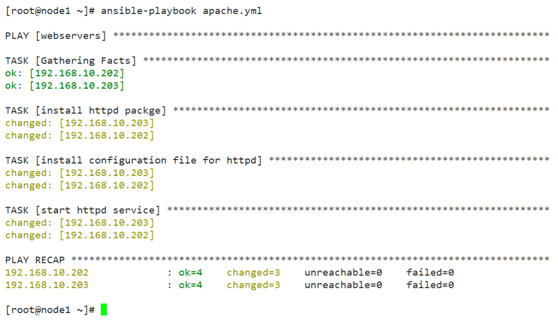
假设/root/conf/httpd.conf的配置文件修改了,比如监听端口改为8080,重新运行
[root@node1 ~]# ansible-playbook apache.yml
然而,目标主机的配置文件并没有发生改变。那怎么办?
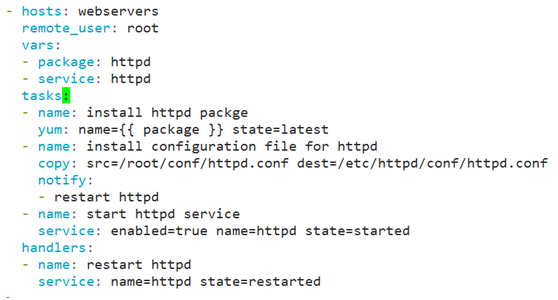
代码改为:
– hosts: webservers
remote_user: root
vars:
– package: httpd
– service: httpd
tasks:
– name: install httpd packge
yum: name={{ package }} state=latest
– name: install configuration file for httpd
copy: src=/root/conf/httpd.conf dest=/etc/httpd/conf/httpd.conf
notify:
– restart httpd
– name: start httpd service
service: enabled=true name=httpd state=started
handlers:
– name: restart httpd
service: name=httpd state=restarted
[root@node1 ~]# vim conf/httpd.conf
[root@node1 ~]# ansible-playbook apache.yml
示例3:
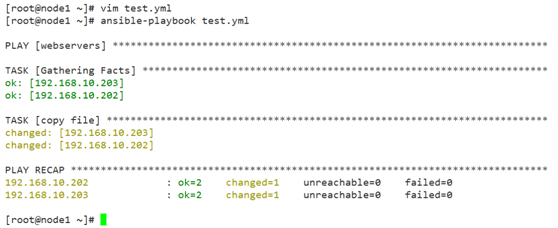
[root@node1 ~]# vim test.yml
– hosts: webservers
remote_user: root
tasks:
– name: copy file
copy: content={{ ansible_all_ipv4_addresses }} dest=/root/var.ans

[root@node1 ~]# vim test.yml
[root@node1 ~]# ansible-playbook test.yml
示例4:条件测试,主机名为:node2.system.com,则添加用户user10
[root@node1 ~]# vim cond.yml
– hosts: all
remote_user: root
vars:
– username: user10
tasks:
– name: create {{ username }} user
user: name={{ username }}
when: ansible_fqdn == "node2.system.com"
[root@node1 ~]# ansible-playbook cond.yml
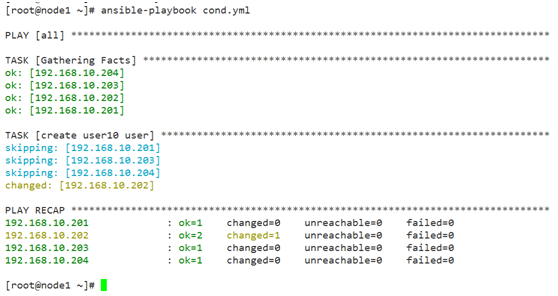
[root@node2 ~]# id user10
uid=1002(user10) gid=1002(user10) groups=1002(user10)
示例5:迭代-重复同类task时使用
调用:item
定义循环列表:with_items
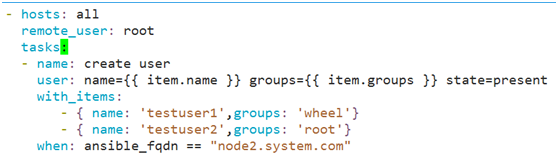
[root@node1 ~]# vim cond.yml
– hosts: all
remote_user: root
tasks:
– name: create user
user: name={{ item.name }} groups={{ item.groups }} state=present
with_items:
– { name: 'testuser1',groups: 'wheel'}
– { name: 'testuser2',groups: 'root'}
when: ansible_fqdn == "node2.system.com"
Templates:
示例6:将httpd的配置文件复制到/root/templates/httpd.conf.j2作为模版
ServerName改为:ServerName {{ ansible_fqdn }}
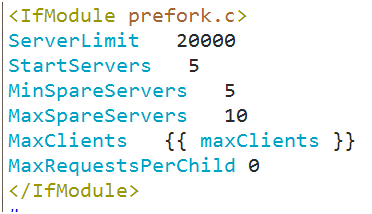
Listen 80改为Listen {{ http_port }},prefork.c模块改为:
<IfModule prefork.c>
ServerLimit 20000
StartServers 5
MinSpareServers 5
MaxSpareServers 10
MaxClients {{ maxClients }}
MaxRequestsPerChild 0
</IfModule>
修改:ansible的hosts文件
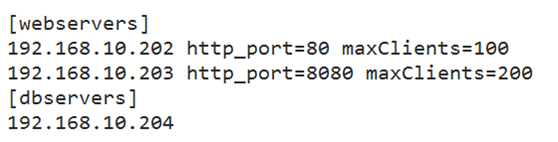
[root@node1 ~]# vim /etc/ansible/hosts
修改apache.yml文件:
[root@node1 ~]# vim apache.yml
– hosts: webservers
remote_user: root
vars:
– package: httpd
– service: httpd
tasks:
– name: install httpd packge
yum: name={{ package }} state=latest
tags:
– always
– name: install configuration file for httpd
template: src=/root/templates/httpd.conf.j2 dest=/etc/httpd/conf/httpd.conf
tags:
– conf
notify:
– restart httpd
– name: start httpd service
service: enabled=true name=httpd state=started
tags:
– service
handlers:
– name: restart httpd
service: name=httpd state=restarted
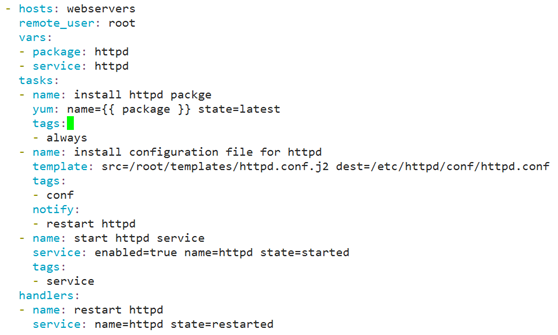
[root@node1 ~]# ansible-playbook apache.yml
tags标签
在示例5的apache.yml中的第2个task添加tags 标签(示例5代码)
[root@node1 ~]# ansible-playbook apache.yml –tags='conf'
特殊tags:always
Roles:
1、创建role的步骤:
(1)创建以roles命名的目录;
(2)在roles目录中分别创建以个角色名称命名的目录,如webservers等;
(3)在每个角色命名的目录中分别创建files、handlers、meta、tasks、tempaltes和vars目录,用不到的目录可以创建为空目录,或者不创建;
(4)在palybook文件中,调用各角色。
2、role内各目录中可用的文件
tasks目录:至少包含一个名为main.yml的文件,其定义了此角色的任务列表,此文件可以使用include包含其它的位于此目录中的task文件。
files目录:存放由copy或script等模块调用的文件。
templates目录:template模块会自动在此目录中寻找Jinja2模版文件。
handlers目录:此目录中应当包含一个main.yml文件,用于定义此角色用到的各handler;在handler中使用include包含其它的handler文件也应该位于此目录中。
vars目录:应当包含一个main.yml文件,用于定义此角色用到的变量。
meta目录:应当包含一个main.yml文件,用于定义此角色的特殊设定及其依赖关系,ansible1.3及以后版本才支持。
default目录:为当前角色设定默认变量时使用此目录;应当包含一个main.yml文件。
一个roles的案例如下:
site.yml
webservers.yml
dbservers.yml
roles
├── dbservers
│ ├── default
│ ├── files
│ ├── handlers
│ ├── meta
│ ├── tasks
│ ├── templates
│ └── vars
└── webservers
├── default
├── files
├── handlers
├── meta
├── tasks
├── templates
└── vars
示例1: 服务端事先安装好httpd、mariadb
[root@node1 ~]# mkdir -pv ansible_playbooks/roles/{webservers,dbservers}/{tasks,files,templates,meta,handlers,vars,default}
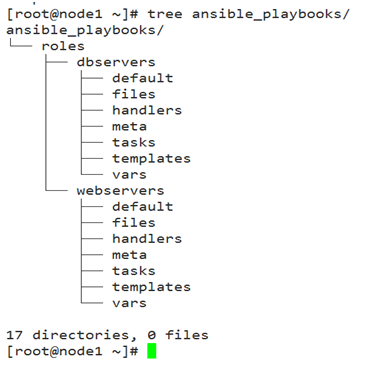
webservers角色配置:
[root@node1 ~]# cd ansible_playbooks/roles/webservers/
[root@node1 webservers]# cp /etc/httpd/conf/httpd.conf files/
tasks配置:
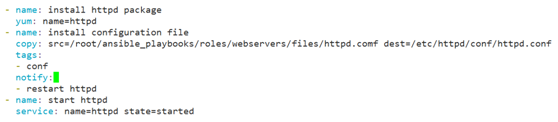
[root@node1 webservers]# vim tasks/main.yml
– name: install httpd package
yum: name=httpd
– name: install configuration file
copy: src=/root/ansible_playbooks/roles/webservers/files/httpd.comf dest=/etc/httpd/conf/httpd.conf
tags:
– conf
notify:
– restart httpd
– name: start httpd
service: name=httpd state=started
handlers配置:
[root@node1 webservers]# vim handlers/main.yml
– name: restart httpd
service: name=httpd state=restarted
在/root/ansible_playbooks目录定义site.yml执行文件:
[root@node1 ansible_playbooks]# pwd
/root/ansible_playbooks
[root@node1 ansible_playbooks]# vim site.yml
– hosts: 192.168.10.202
remote_user: root
roles:
– dbservers
– hosts: 192.168.10.203
remote_user: root
roles:
– webservers
– dbservers
dbservers角色配置:
[root@node1 ansible_playbooks]# cd roles/dbservers/
复制/etc/my.cnf文件
[root@node1 dbservers]# cp /etc/my.cnf files/
tasks配置:
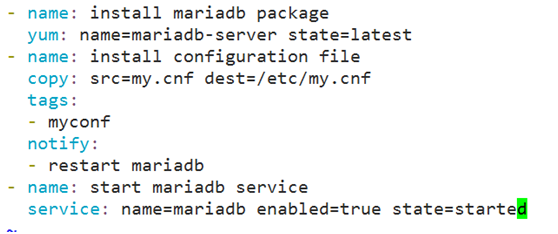
[root@node1 dbservers]# vim tasks/main.yml
– name: install mariadb package
yum: name=mariadb-server state=latest
– name: install configuration file
copy: src=my.cnf dest=/etc/my.cnf
tags:
– myconf
notify:
– restart mariadb
– name: start mariadb service
service: name=mariadb enabled=true state=started
~
handlers配置:
[root@node1 dbservers]# vim handlers/main.yml
– name: restart mariadb
service: name=mariadb state=restarted
运行site.yml
[root@node1 ansible_playbooks]# ansible-playbook site.yml